

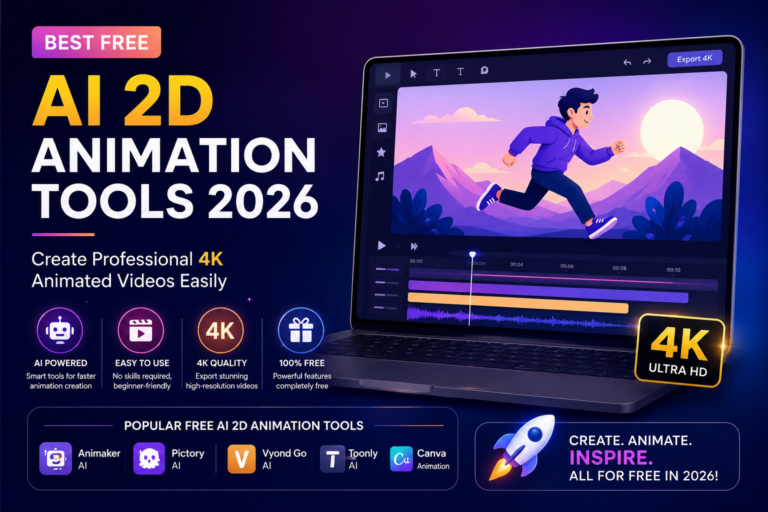
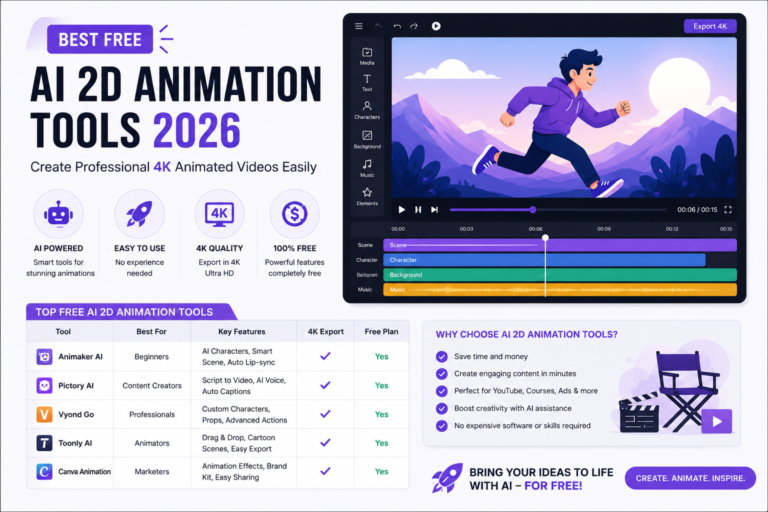
Best Free AI 2D Animation Tools 2026 – Create Professional 4K Animated Videos Easily
Creating professional animated videos used to be difficult, expensive, and time-consuming. In the past, you needed advanced animation software, creative skills, powerful computers, and sometimes even a team of designers to produce high-quality animations.
But things have changed dramatically.
Thanks to Artificial Intelligence, anyone can now create beautiful 2D animated videos in just a few minutes. Whether you are a YouTuber, student, marketer, educator, freelancer, or business owner, AI animation tools can help you turn simple ideas into eye-catching animated content without learning complex animation techniques.
The best part?
Many of these tools offer free plans and support high-resolution video generation, including 4K-quality output.
In this guide, you’ll discover the best free AI 2D animation tools available in 2026, how they work, and how you can use them to create professional videos effortlessly.
What Is AI 2D Animation?
AI 2D animation is a technology that uses artificial intelligence to generate animated videos automatically from text prompts, images, scripts, or simple instructions.
Instead of manually drawing frames, adjusting movements, and creating transitions, AI handles most of the heavy work for you.
You simply describe your idea, choose a style, and the AI generates an animated video based on your instructions.
This revolutionary technology is helping creators save countless hours while producing professional-quality content.
Why AI Animation Is Becoming So Popular
There are several reasons why creators are rapidly adopting AI animation tools.
Fast Content Creation
Traditional animation may take days or weeks.
AI animation tools can generate videos within minutes.
No Technical Skills Required
You don’t need experience with animation software.
Most AI platforms use simple prompts and user-friendly interfaces.
Budget Friendly
Many tools offer free plans that allow beginners to start creating immediately.
Professional Results
Modern AI models can generate impressive animations with smooth transitions, creative effects, and cinematic visuals.
Perfect for Social Media
Animated content performs exceptionally well on YouTube Shorts, Instagram Reels, Facebook, and TikTok.
Top Free AI Animation Tools in 2026
1. DomoAI – Best for High-Quality 4K Animation
DomoAI has become one of the most popular AI animation platforms among content creators.
It offers multiple animation styles and powerful AI models capable of generating impressive visual results.
Key Features
- 4K-quality output support
- Japanese anime style generation
- Realistic animation styles
- Pixel art animations
- Vintage 90s-inspired animation effects
- Advanced AI optimization tools
- Flexible aspect ratios
One of the most useful features is the AI Prompt Optimizer, which transforms simple prompts into detailed instructions that produce significantly better results.
Best For
- YouTube creators
- Storytelling videos
- Anime-style content
- Marketing videos
- Professional animation projects
2. InVideo AI – Best for Complete Video Creation
InVideoAI is much more than an animation generator.
It can automatically create complete videos including:
- Scripts
- Voiceovers
- Visuals
- Subtitles
- Background music
This makes it one of the easiest solutions for beginners.
Why Creators Love InVideo AI
Instead of using multiple tools, creators can manage everything from a single dashboard.
It is especially useful for:
- Educational videos
- Business presentations
- YouTube automation channels
- Social media content
The platform also provides royalty-free assets, making content creation even easier.
3. Krikey AI – Best for Character Animation
If your goal is to create animated characters, Krikey AI is an excellent option.
This platform focuses on character animation and virtual avatars.
Features
- AI-generated animated characters
- Avatar creation
- Character customization
- Photo-to-animation functionality
- Easy animation workflows
Krikey AI removes the need for traditional rigging and keyframing, which are usually the most difficult parts of character animation.
Best For
- Educational content
- Animated explainers
- Social media creators
- Character-based storytelling
4. TensorPix – Best for Simple Animation Projects
TensorPix is another useful AI animation solution.
It supports both 2D and 3D animation generation and allows users to create animated videos using text prompts or images.
Key Benefits
- Beginner-friendly interface
- Fast animation generation
- Multiple animation formats
- Suitable for small projects
For creators who want quick and simple animated content, TensorPix is a solid choice.
How to Create an AI Animation Video Step-by-Step
Creating an animated video with AI is surprisingly simple.
Step 1: Write Your Idea
Start by describing what you want to create.
Simple Example:
“A cute cat playing in a garden.”
Better Example:
“A cheerful orange cat running through a colorful flower garden during sunset in Japanese anime style.”
The more details you provide, the better the results.
Step 2: Choose an Animation Style
Most AI platforms offer multiple visual styles.
Popular choices include:
- Anime
- Realistic
- Cartoon
- Pixel Art
- Vintage Animation
- Cinematic Style
Selecting the right style helps match your content goals.
Step 3: Customize Settings
Before generating your video, adjust:
- Resolution
- Duration
- Aspect ratio
- Animation model
- Visual effects
For professional projects, choose the highest available resolution.
Step 4: Generate Your Video
Click the Generate button and allow the AI to process your request.
Most tools complete generation within a few minutes.
Step 5: Edit and Export
After reviewing the result, make necessary adjustments and export the final video.
You can then upload it directly to:
- YouTube
- TikTok
- Business websites
How to Get Better 4K Animation Results
If you want premium-quality animations, follow these proven tips:
Use Detailed Prompts
Instead of:
“Boy walking.”
Write:
“Young boy walking through a futuristic city at sunset with cinematic lighting and smooth camera movement.”
Add Camera Instructions
Professional creators often describe camera angles.
Examples:
- Wide shot
- Close-up shot
- Tracking shot
- Drone view
- Cinematic zoom
This makes animations feel more professional.
Use Advanced Models
Most AI platforms offer:
- Fast Models (quick drafts)
- Advanced Models (higher quality)
For final projects, always choose advanced rendering options.
Experiment Multiple Times
Small changes in prompts often produce dramatically better results.
Don’t hesitate to generate several versions.
Traditional Animation vs AI Animation
Traditional Animation
Idea → Storyboard → Drawing → Coloring → Animation → Editing → Rendering
Time Required: Several hours or days
AI Animation
Idea → Prompt → Generate → Download
Time Required: Only a few minutes
This massive time-saving advantage is one of the biggest reasons AI animation is growing so quickly in 2026.